PC HW Monitor is not showing CPU temp and Network Activity
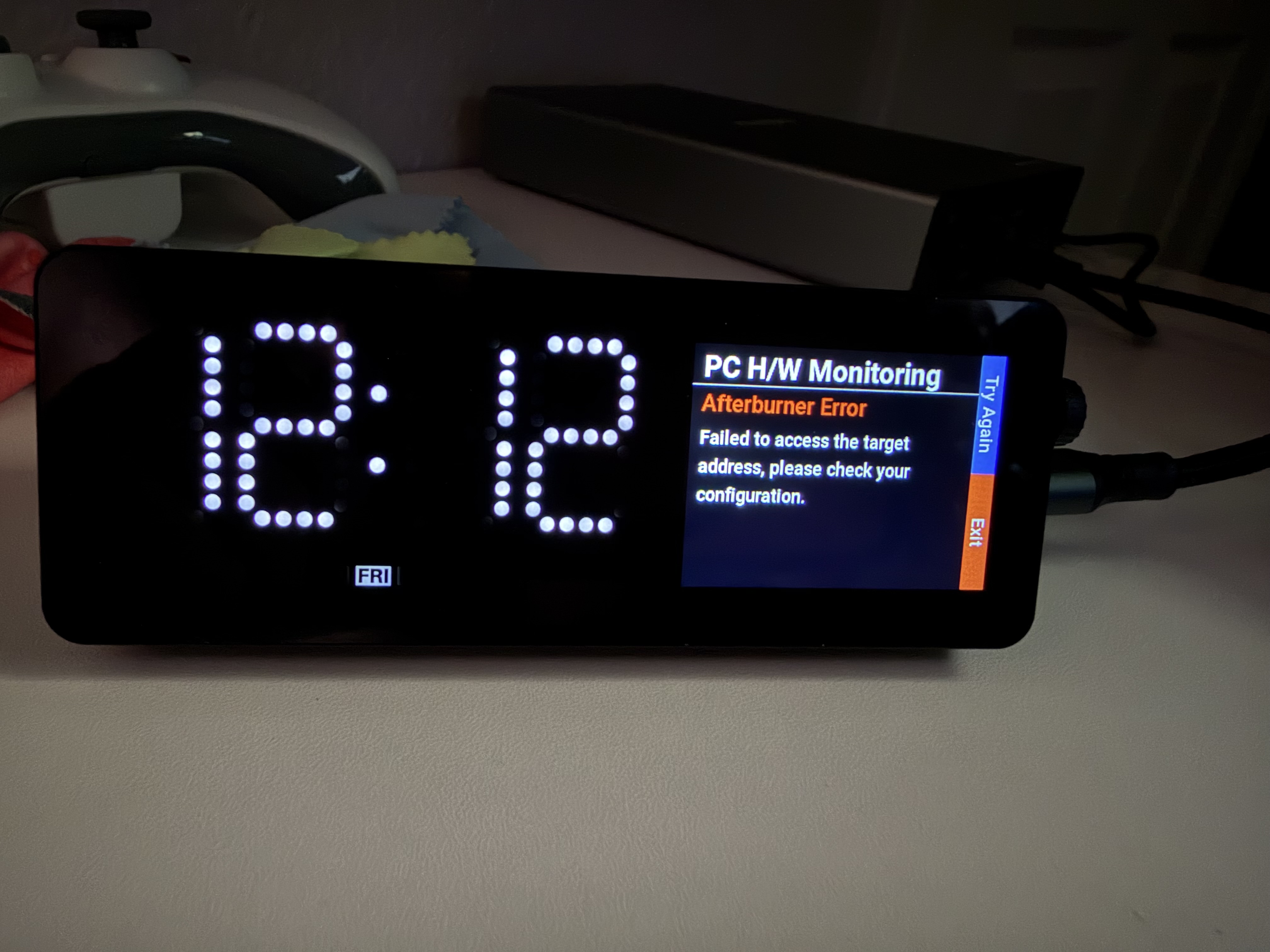
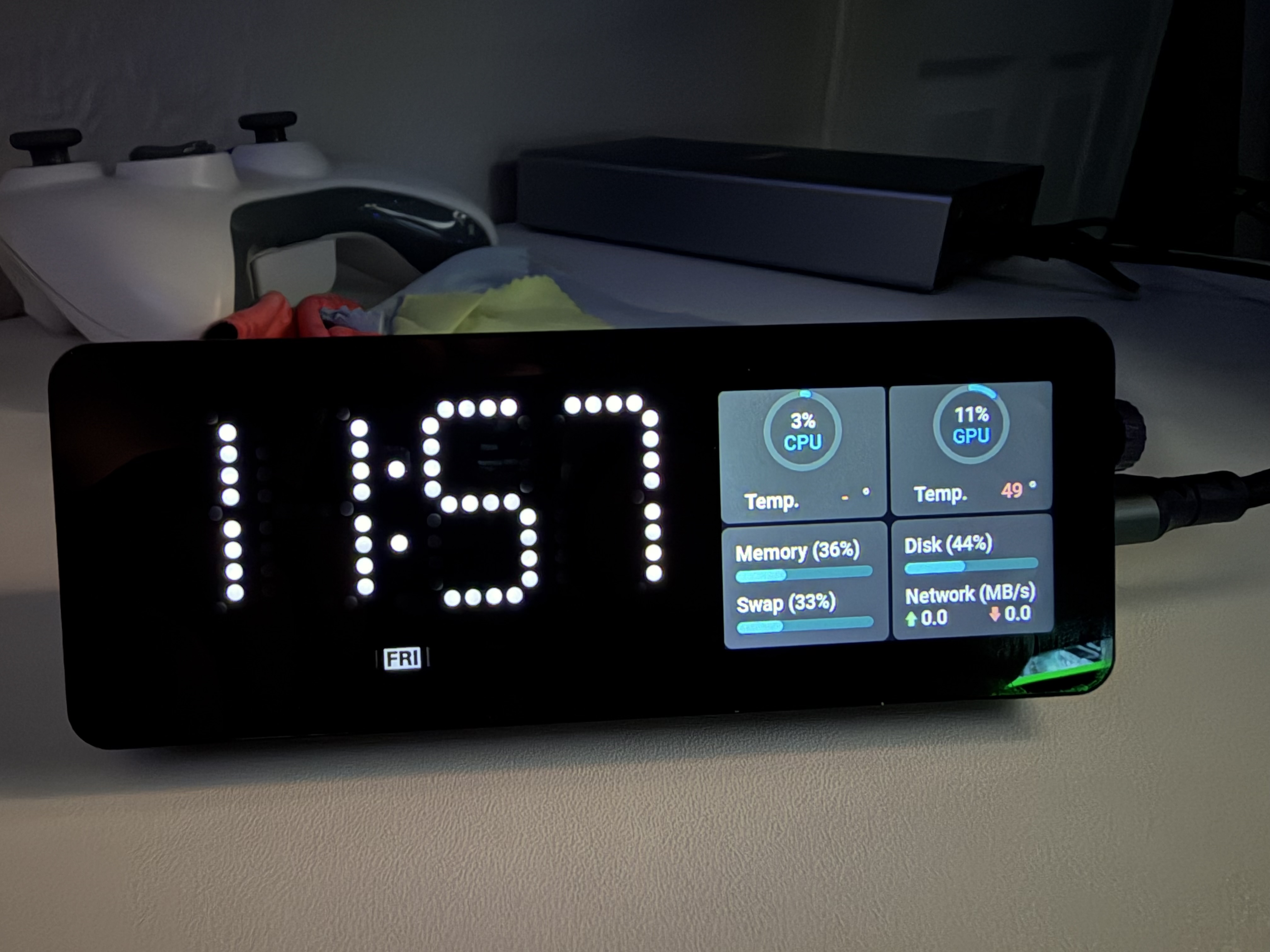
If I run Computer Monitor this is the only information I get and CPU temp or Network Activity is never working
If I use Aida64 Extreme - nothing changes. I am getting the same exact information
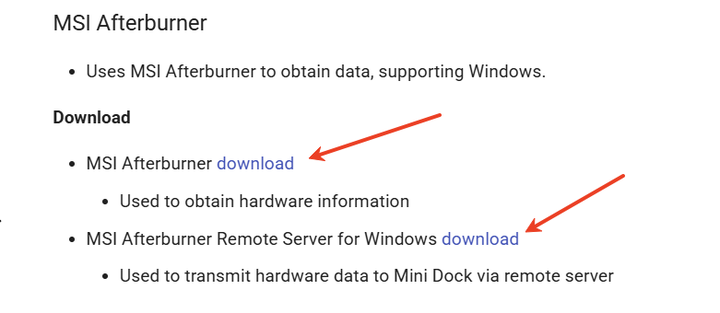
I am unable to try MSI Afterburner option because I can’t find where I can download a current version of MSI Afterburner Server the only one I was able to find is very old (1.2.0.0) and Vobot is saying Afterburner Error when I am trying to use it
Regarding your question about Hardware Monitor not being able to obtain all data, the reason is that the plugin running on your computer is not correctly obtaining your computer’s relevant configuration. This is related to the plugin’s compatibility with your computer. For AIDA64 issues, please check the following configurations:
Ensure AIDA64 is running normally.
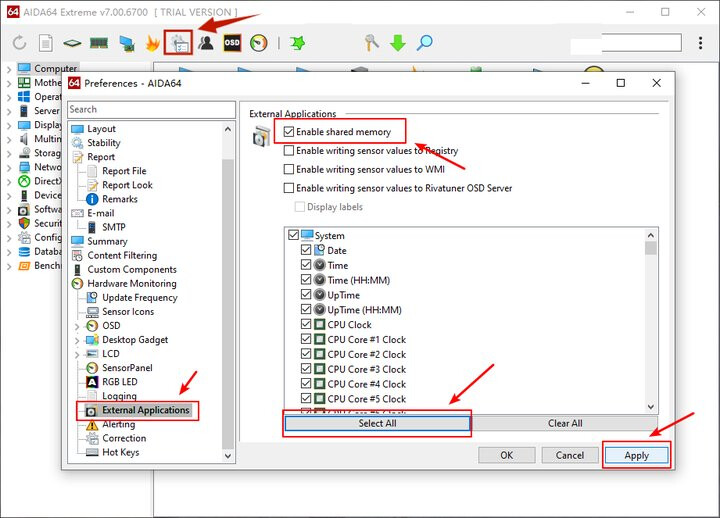
Ensure “Enable shared memory” is enabled.
Ensure you have selected the correct CPU temperature setting in the AIDA64 software.
Furthermore, it’s important to note that if computer_monitor.exe and AIDA64 are running simultaneously, AIDA64 is used to acquire computer data, while computer_monitor.exe only forwards data to the Mini Dock. Therefore, you need to ensure that AIDA64 can correctly acquire the CPU temperature. For downloading and configuring MSI Afterburner, please refer to the documentation: PC H/W Monitoring - Vobot Mini Dock
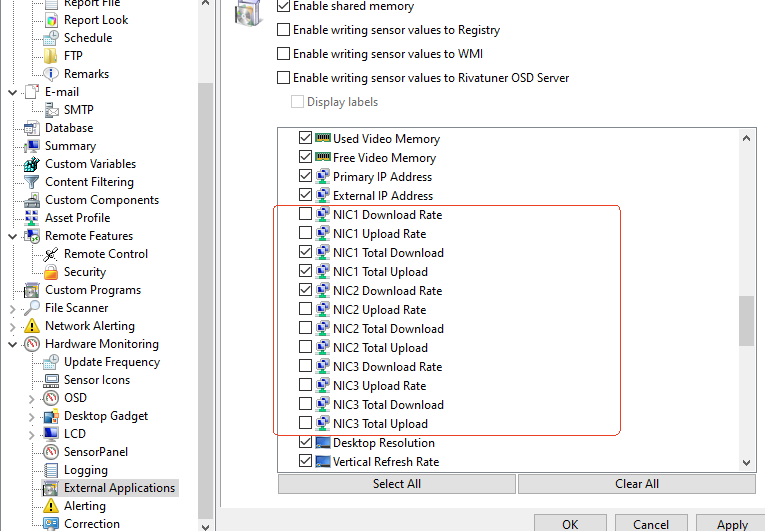
Based on your feedback, we believe you did not select the correct options when configuring the AIDA64 software. Regarding network usage, please try selecting the correct options in your computer configuration: (The screenshot only shows the selection location; the selected options will vary depending on your computer configuration.)