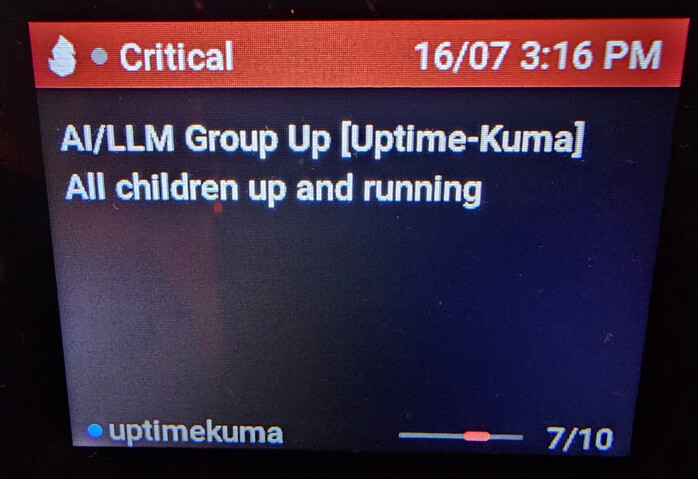
Frist Post! I’m new to this but with the help of VSCode and Copilot I was able to whip this up today… Literally one of the reasons I bought this Vobot (to write custom apps for my pain points)…
This is a work in progress but it does actually work.
I run a proxmox node with a ntfy LXC. I have many of my other LXC monitors and such write to ntfy and I get the notifications on my web or phone of course, but having this little display right next to my keyboard gave me the idea to show them there too.
It has the /app web GUI to set up some things like the domain and (single) channel (using “general” by default). It polls (I use 10s but you can configure) and you can choose how many messages to retrieve (I do last 5). It color codes a bar on criticality (couldn’t get emoji to render other than a blank square ). If a new message arrives it will show “NEW” at the top and jump you to it (as the new 1st)…
Anyways, go easy on me, it’s a v0.0.3 and there are a lot of wonky things in writing this that were much harder than they should be (for one, it does NOT handle the ntfy streams so we had to get creative with how we pull messages)… BUT if nothing else, it should give you some good copilot prompt and instructions files to start your own app too… I literally didn’t write a single line of code, only told VSCode’s Github Chat what I wanted and we kept refining…
Obviously not an official app in the “store” yet so you are on your own to install this for now. I’m not trying to be tech support or answer too many questions. I don’t mean to be rude, I am just a novice as well and don’t have good answers for you. I think the markdown files should have enough for copilot to figure it out though.
* well, already hitting another frustration with this Vobot. I can only put two links in the message, so you’re also on your own to figure out the rest
Okay a new version 0.0.8 is out with a LOT more learning and documenting. This version makes “Long Polling” the default (but settings configurable back to regular “Polling” too). Cleaned up the display more (due to the limited space considerations). Oh and multiple topic subscriptions now (comma separated). I also re-orged the github monorepo to the way I THOUGHT I had it, but apparently was nested wrong.
I packaged up 1.0.0 and published it to the Vobot store. I wait for their approval (up to 15 days it says)
When a new message comes in it will show a priority icon in the upper right corner (for the priority of the new message of course) and that becomes the new 1st message of the list.
Welcome to the Vobot community! It is incredible to see how you used VSCode/Copilot to build a custom solution for your Proxmox/ntfy nodes—this is exactly the kind of creative “pain point” solving we love to see.
Congratulations on hitting v1.0.0 and submitting it to the Vobot Store! The priority icon you added in the latest version is a brilliant touch for real-time notifications.
While the store says 15 days, I’ve asked our review team to take a look at your submission sooner so the community can enjoy your hard work.
Keep up the great work, and thanks for sharing your AI-assisted workflow with us!
I absolutely hate the answer I’m about to give you, so sorry in advance… I personally don’t use auth for ntfy as it’s all on my local LAN. So re-configuring things and setting that up to implement it isn’t something I’m super keen to spend more time on; especially since you and I are probably the only two people using this app.
Having said that it’s all open source here
and this is exactly how I built it, not knowing ANYTHING about Vobot or Python and I didn’t write a single line of code. Just used VSCode (free) and Copilot chat (agent mode). I pay $10 for this and it’s WELL worth it as I use it for ALL kinds of projects, system administration, code, automations in home assistant, dashboards, etc. The possibilities are limitless honestly. And I rarely reach my limit if you leave it on “auto”.
So use my .github/prompt/ntfy.prompt.md file and the copilot-instructions.md file and have at it. It honestly installed all the things I needed, even does the deploy package so you can push to your vobot. Then I’m happy to approve a PR and merge it into the main branch…
I’m not even joking when I say I built both of those ntfy and proxmox apps in about 3-4 days total. Once I got setup and figured out some stupid “my fault” issues with my environment, the rest is just prompts (and attaching those contexts). I’ve done a lot of the heavy lifting for you there in those markdown files and the LLM will know what to do even if you don’t Protip, as the README.md file says “Connect via the USB-C on the right side of the device (literally named “computer”)” – that will save you a lot of frustration!
Lastly, I posted all of the code and markdown for exactly this reason. It’s sad to me that I think I’m the only person to make any apps for this little guy (maybe one other fella for HK weather)…
We’ve been given a fun and useful platform and I’d really love to see more people contributing to the app store… this is your nudge. Seriously you do NOT have to be a developer/coder anymore to do amazing things in software. Just tell the AI what you want and it handles the rest. The agents will go out and research the APIs and documents and code examples and build it for you like little minions.
I just wanted to drop in and say a massive thank you for your incredible contributions to the community!
We truly appreciate you:
Sharing your source code: Opening up your GitHub repo is the best way to help other users get over that initial “blank page” hurdle.
Providing clear guidance: Your “Protip” about the “Computer” port and your markdown prompt files are incredibly helpful for newcomers.
Encouraging the “Nudge”: We love your call to action for more people to contribute. The platform’s potential really comes alive when creators like you show everyone else what’s possible.
It’s users like you who turn a “little desktop companion” into a powerful, personalized tool. We hear you on the desire for more apps, and we’re working behind the scenes to make the development process even more accessible.
Keep up the amazing work—we’re proud to have you in the Vobot community!
It’s been a hot minute since I had time to work on this. But a friend gave me a 7-day Claude Copilot Pro and so I figured I’d take it for a spin on this (and was shocked how well it worked not using VSCode at all; although having all my .md files jump started Claude).
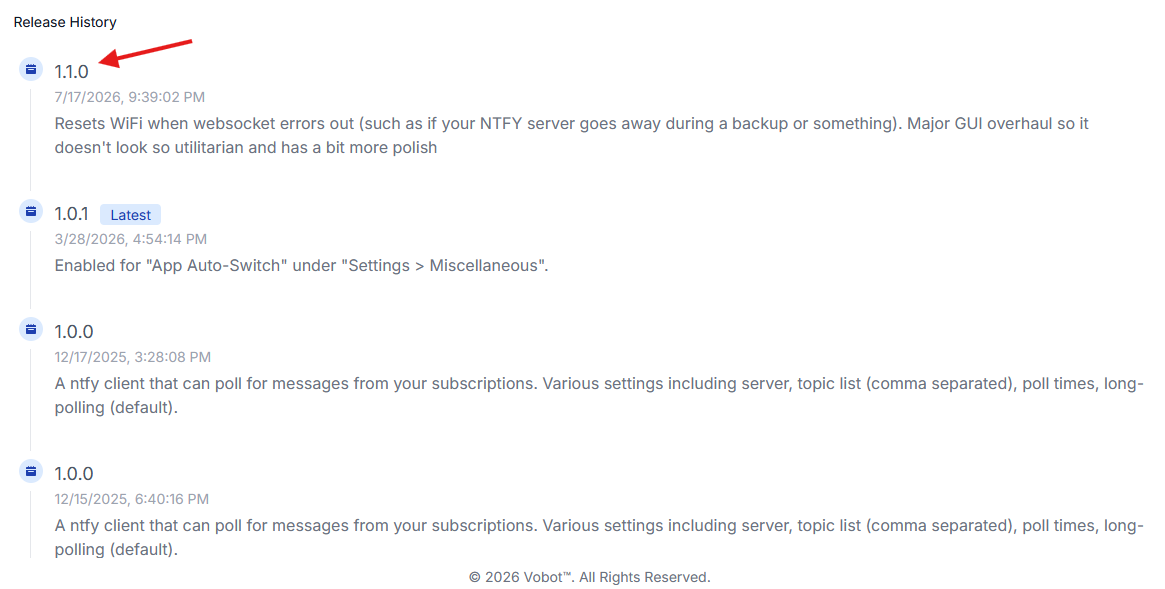
Anyways, I was annoyed by the websocket bug where when my Proxmox LXC for ntfy would do a backup, it restarts the LXC and so Vobot loses the websocket connection and I have to re-plug it to get it connected again. This 1.1.0 version should detect and restart the Vobot wifi in theory… untested as I just wrote it tonight.
And of course I asked CC to “zhuzh up the GUI” as it always looked utilitarian and ugly… I hope this one looks cleaner and more polished…
I have tried several times to attach a screenshot and it just says “processing upload” for way longer than it should… is something broken here or what am i doing wrong? i tried pasting in and using actual file picker.
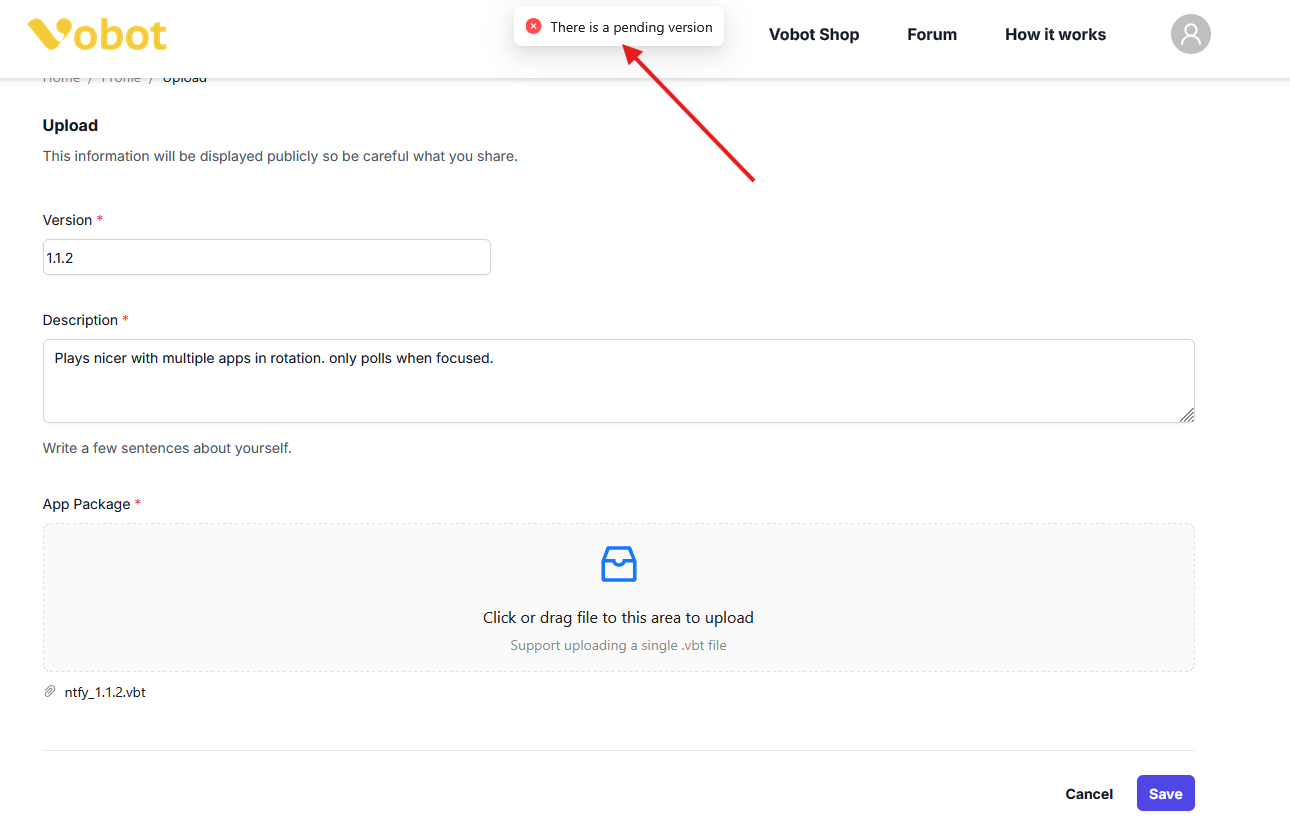
I have a newer version 1.1.2 that i wanted to upload, but I can’t because your app galery page says I have one pending. And frustratingly there is no way for me to delete that one either…
So now I have to wait for you to approve it just so I can deprecate it with a newer one that you then have to re-approve. Friendly suggestion, please make this process easier. With AI “vibe-coding” features and updates are going to happen a lot more frequently and this cycle we have now slows things down significantly.
 ). If a new message arrives it will show “NEW” at the top and jump you to it (as the new 1st)…

 Protip, as the README.md file says “Connect via the USB-C on the right side of the device (literally named “computer”)” – that will save you a lot of frustration!